The May 13, 2025, meeting of the Organizational Steward Community of Practice focused on technology and stewardship. Presentations included BLESS’s QR code system for reporting park issues and iNaturalist’s use for citizen science in tracking biodiversity. Participants discussed enhancing conservation efforts through technology and shared organizational insights.
Edited by Frank Potter
These notes have been amended for clarity, brevity and new material (e.g. links) where such material improves the understanding of the subject matter. They may be amended from time to time.
- A Note on AI and Taking Notes
- Meeting Summary for Org. Stewards CoP – Tech & Nature
- Opening Comments and Context
- BLESS and QR Code Technology
- Using iNaturalist, Early Days: the SAPAA experience
- Thank You
A Note on AI and Taking Notes
Unfortunately, a technical glitch caused the recording of the May 13 Community of Practice session from being saved. The following is based on the AI generated notes and is very apropos for a session with a theme of ‘Technology and the Organizational Steward’.
The COVID pandemic changed many things including the acceptance of online meetings. Zoom is the de facto standard in such things, and it provides excellent notes created by Artificial Intelligence. As a result, this Community of Practice is able to provide a BONUS technology in addition to BLESS’ QR Codes and SAPAA’s use of iNaturalist.
Meeting Summary for Org. Stewards CoP – Tech & Nature
Quick recap
The meeting featured introductions from various participants, including the Big Hill Creek Preservation Society, the Alberta Native Plant Council, and River Lot 56. Miles presented BLESS’s use of QR code technology for stewardship reporting, David introducing iNaturalist for conservation efforts, and a discussion on the potential for other groups to utilize iNaturalist.
Select Introductions
The Big Hill Creek Preservation Society is introduced, and participants are encouraged to share information about their organizations. Lyse describes the society’s work on the Big Hill Creek watershed, including their recent grants and studies. Other participants, including George and Mary from St. Albert, Claudia from Nature Alberta, and Kristyn, introduce themselves and their areas of focus.
Dave introduces himself and discusses his work with the Wagner Natural Area. Mary and George briefly discuss their long-term involvement with River Lot 56 since the late seventies.
Alberta Protected Areas Community Meeting
Hans Potter welcomes participants to the inaugural Community Practice for Organizational Stewards meeting, focusing on Alberta’s protected areas. The session has a full agenda, as it is the first meeting of its kind.
QR Code Technology for Stewardship
Miles presents BLESS’s use of QR code technology for stewardship reporting at Lois Hole Centennial Provincial Park. The technology was developed to improve stewardship activities, enhance information transfer to Alberta Parks, monitor the park more effectively, and engage occasional volunteers. BLESS aims to use volunteer time efficiently, recognizing its scarcity and value. The presentation will cover how BLESS collects, stores, and uses information to address business problems and support conservation efforts.
QR Code Reporting System for Stewards
Miles discusses the implementation of a QR code-based reporting system for occasional stewards in a park. The system uses Formsite, a subscription-based service costing $330 per year, which allows for 500 submissions across 5 forms. The QR codes are printed on signs placed around the park, replacing less successful business cards. Since implementing the new signs, report submissions have increased from 6 to about 20 in the first quarter. The signs, made of coroplast, cost between $12 and $50 depending on size and have shown no signs of weather damage so far. Miles notes that while vandalism is a potential concern, there have been no issues to date.
David Fielder’s Botanical Journey
David Fielder introduces himself as a botanical chemist who has become an amateur botanist since moving to Alberta in the late 1990s. He expresses gratitude for the supportive botanical community in Alberta that has helped him learn. David is about to discuss iNaturalist, a platform for recording and sharing nature observations.
iNaturalist for Conservation and Environmental Groups
The summary discusses the use of iNaturalist for conservation and environmental groups. David explains that iNaturalist is a free web-based and mobile app that allows users to share observations of plants and animals, learn about species, and participate in citizen science projects. He describes how SAPAA is setting up an umbrella project in iNaturalist to cover different protected areas in Alberta, which will allow for easy filtering and data collection. David highlights the benefits of using iNaturalist, including its global community, ability to encourage visits to protected areas, and potential to provide data for government reports.
The meeting concludes with Frank seeking feedback from participants on the usefulness of the session.
Opening Comments and Context
Editors note: click on the image file to see a full version of it. Use the ‘Back Button’ to return to these notes. Handy links and references for this presentation as as follows:

Welcome to the inaugural Community of Practice for Organizational Stewards.
You are here because you and an organization you are affiliated with want to make a difference in Alberta’s protected areas.
I am Hans Potter, and my dad is the president of the Stewards of Alberta’s Protected Areas.
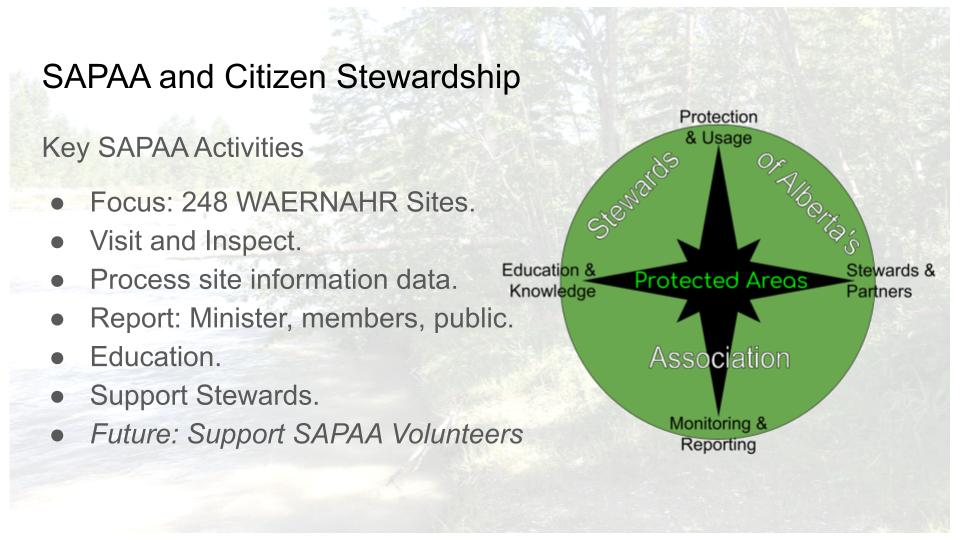
For 25+ years, SAPAA has supported Stewards in Alberta and has taken on functions formerly fulfilled by the province.

On the screen is SAPAA’s Vision star. At the center are the protected areas. Cardinal points, starting at North, include ensuring proper usage, supporting stewards including organizations such as those on the call, monitoring and reporting the state of the areas, and educating Stewards, politicians, and others of the importance of these areas.
This is a Community of Practice. Concern and passion and expertise exist in spades. To build up this community, please introduce yourself in the Chat box what is one or more things your organization does really well or what are your pain points? (Editors note: 21 individuals from 13 organizations registered for the event with 15 people in attendance).
Information Management and the Nonprofit

Some context for tonight’s session. This information management model is tailored for nonprofits by being ‘Just Enough’. (Editors note: see the original post here: Just Enough Information Management – for Nonprofits)
BLESS and QR Code Technology
Miles’ presentation starts with how BLESS can effectively collect information, where to store it, and how to use it. Let’s hear from BLESS.
Contact Miles at: bless@sapaastewards.com or the board at: board@bless-env.ca.

For those not familiar with the Big Lake Environmental Society, it is almost 35 years old.
One of its achievements was the establishment of the Lois Hole Centennial Provincial Park.

Miles has been involved with BLESS for many years. Although he comes from a technical background, his focus for the past decade is visual art (editors note: be sure to check out his work at Miles Constable Artist, it is excellent).

Why did we adopt the QR Code technology for the Lois Hole Centennial Provincial Park? (editors note: see QR code – Wikipedia for exactly what is a QR Code).

We wanted to improve our stewardship by improving the information transfer to Alberta Parks. Improve our ability to monitor the park and generate interest in BLESS. In the surrounding 4 communities (Editors note: Edmonton, St. Albert, Sturgeon & Parkland counties).

The technology also engages occasional volunteers who are not interested in a leadership level commitment.
We all recognize that volunteer time is limited and precious. There just are not that many of us.

Any technology had to be friendly to that occasional steward. It had to be very commonplace, and available on their own mobile devices. We looked at RFID Chips initially but quickly realized they require a lot of technical ability to program and money to buy. Thus, we defaulted to QR. Codes.
To use QR Codes we needed a reporting system that was simple enough for an occasional steward to use. It also had to be relatively inexpensive, and flexible because we weren’t entirely sure what we were going to do with it, or how successful it would be.
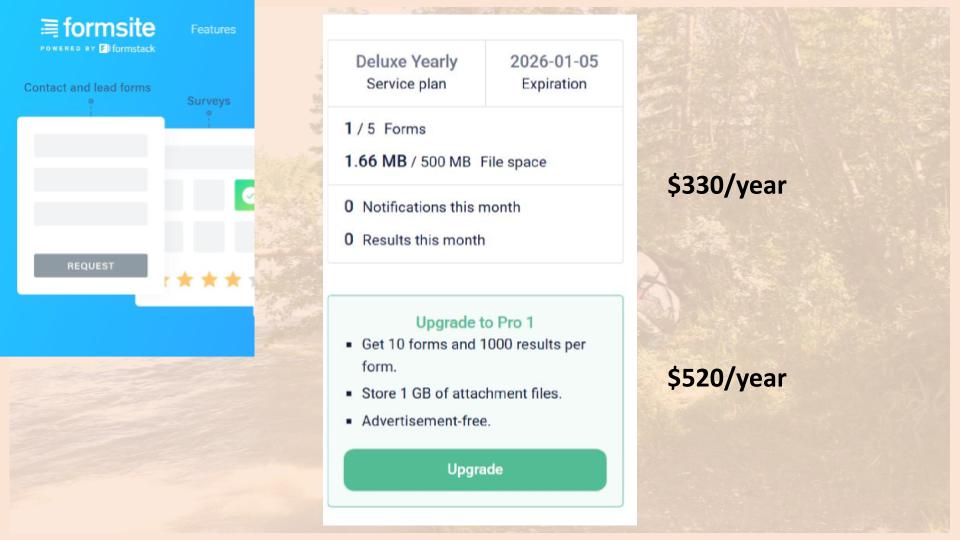
We selected a company called Formsight. This is not a promotion for them as there are other companies that do the same thing. Their initial plan is $330 a year for which you get 500 MB of space, 5 forms, and instantaneous notification when a form is completed. More money buys you more features and more storage space.

What we looked at was basically a trade-off between being cheap and doing it yourself. We took at Google Forms. This technology has its own limitations, for example it does not play nice if you don’t have a GMail account. This becomes a problem when trying to upload things like images. We decided that the trade-off of money for time was well worthwhile.

On the left side, you’ll see the BLESS report form.
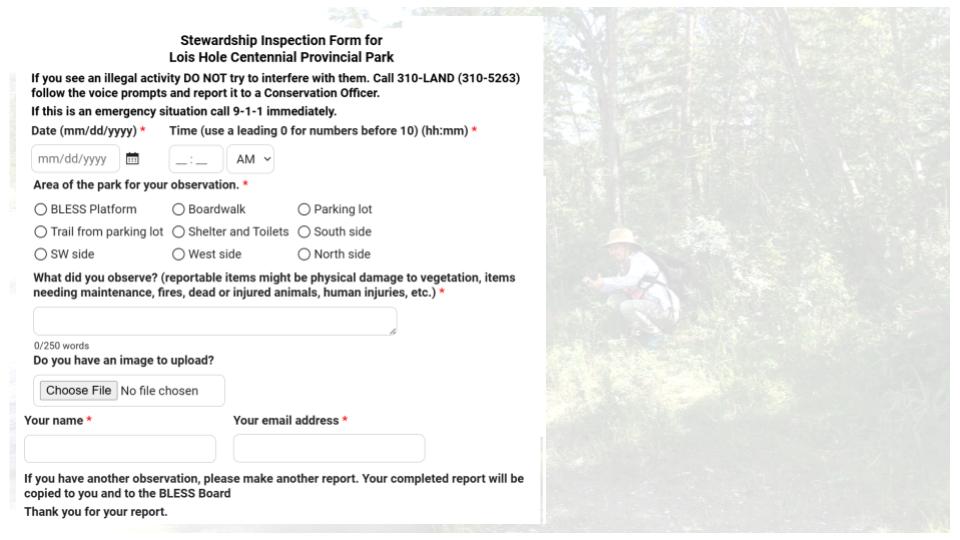
It is simple to create, taking me about 2 to 3 hours; and that was most of that was learning the program. The user puts in a date the time, location of the park, and a text field for what they want to report. And of course, their name and email, address.
Last year we tried a business card with the QR code on it but didn’t get a lot of uptake. This year we posted large signs around the park with the QR Code on them. As a result, the information transfer part is straightforward.

Someone then fills in a report.

In this case, they thought the shelter and the toilets needed some attention. We get that response instantaneously. We then decide if it is worthwhile sending to Alberta Parks. In this case, because it had to do with maintenance, we sent it on to the local parks manager who responded back in a day or two. This shields them from extraneous information.

I mocked up a SAPAA site inspection form. Using the system’s AI suggestions, this is what it came up with in about 30 seconds. In another 3-minutes, added some other fields such as file upload. In other words, building the form is simple and straightforward.

This is the kind of information you get when you log into the database. Every row you see here is a report that you can edit and forward for action. You can also sort the submissions or download them a spreadsheet.

The process is easy to implement, taking me a total of about 4 hours in total to implement. There is almost no maintenance involved. We had to update a phone number on the online form. That took all of 2-minutes. We are getting better information from the public and the system is affordable.
Questions and Discussions About QR Code Technology
1. What’s the uptake of using the QR Codes been like? How many submissions have you gotten.
- Last year we used the business card and got about 6 reports over the year.
- We thought, well, that wasn’t worth the effort.
- This year we posted signs around the park and in the 1st quarter we’ve received about 20 reports.
2. Are the signs fairly vandalism proof? Or has that been an issue?
- We haven’t had any vandalism, but it’s just printing on coroplast.
- So. If somebody wants to rip them down that’s quite easy to do.
- Vandalism is hard to combat.
3. Are the QR codes ever going to expire? And if so, how does what is the plan for the organization to change them over?
- If Formsite keeps operating, then the QR code should function.
- As long as we pay our yearly subscription.
- I’ve never heard that the QR code technology has a limit.
4. What do these signs cost and how long will they last?
- A 9 by 12-inch sign costs about $12.
- We also printed 24 by 36 signs and they’re about $50 each.
- Because they are pricey, we will go with smaller signs in the future.
- The signs have shown no signs of fading or weather damage, yet.
5. What is the cost for a QR Code subscription.
- It is part of the subscription to FormSite. We are on the cheapest subscription which is $330 a year.
- When you create a form. FormSite will automatically generate a QR code for you.
- The form and data are kept on their servers.
6. Is there another alternative way of contacting BLESS, if folks maybe struggle with the QR code. Is there a website or an email?
- They can access our website at bless.env.ca or email us at board@bless-env.ca.
7. What is the limit for the number of submissions per form?
- 500 according to our subscription.
8. How are the elements weathering the signs and are the QR codes holding up?
- They are holding up as they are coroplast which is plastic.
- If someone comes along with a jackknife and cuts it or scratches the QR code. It might not be readable anymore.
- But if we go with the smaller signs, we can replace them fairly, inexpensively.
9. There was a story out of Edmonton about scammers putting their own QR over top of parking lot QR codes to steal credit card information. Are there any concerns about privacy?
- We are not collecting particularly personal information and definitely not financial details such as a credit card number.
- To collect this low value data, someone needs to print a four-inch square QR Code and smaller ones for the smaller signs. We don’t think this is likely.
10. Does the technology come with any anti scamming features against bots submitting your forms and running up your numbers?
- No, I don’t believe so. We certainly haven’t had that problem to date.
- People can submit garbage but you can’t prevent that.
- We act as a filter between us and Alberta Parks.
11. How did you guys select the locations that would get a QR code sign?
- Lois Hole Centennial Provincial Park has one major access point in St. Albert.
- There are other places on the north and south sides.
- We have a volunteer going out and putting up signs.
- Anywhere it is easy for the public to get into the park is where we’ve been putting the signs.
12. Wagner Natural area has numbered signposts which correspond to a guidebook which is available online or at the site. We want to replace these with QR codes. What type of information can be displayed?
- A QR code is simply a link to an online resource.
- Our QR Codes lead to an interactive form that can be submitted.
- What you are talking about is probably going to a static web page.
- This page could change every year, season, month, week or day; but the QR Code leading to it remains unchanged.
- You could replace the guidebook with a series of static webpages, one per QR Code on a sign post.
- Having said that, QR Codes are essentially free, and you could copy/paste the material from the guidebook to webpages, also free.
13. How hard has the technology been to learn, tell us about life after Miles?
- Well I figured it out in a few hours, so I’m pretty sure others can do a better job than me. Just make sure your logon credentials are recorded in your organisation.
Using iNaturalist, Early Days: the SAPAA experience
Introductions

David moved from Ontario in the late nineties and is a botanical chemist by trade. Because of the move, he has spent his time in Alberta learning to be an amateur botanist.
David is lucky as there’s such a great community in Alberta, and wonderful to learn from. He has been BLESS’ed (pun intended).

- Rated 1: three individuals
- Rated 2: two individuals
- Rated 3: three individuals
- Rated 4: none
- Rated 5: none (well except for David, of course!)
What is iNaturalist?

What is iNaturalist?

It is a web and mobile application that is a repository for natural observations.

An Observer could be an expert in their field, a citizen scientist, or want to use the AI tool to identify a species. They can also learn about different species if they’re not familiar with.
As David was joining from a visit in in New Brunswick, he used iNaturalist to identify unfamiliar species when he and his wife were hiking that afternoon.

Opening up iNaturalist and filtering for the Edmonton metropolitan area, this is what pops up.
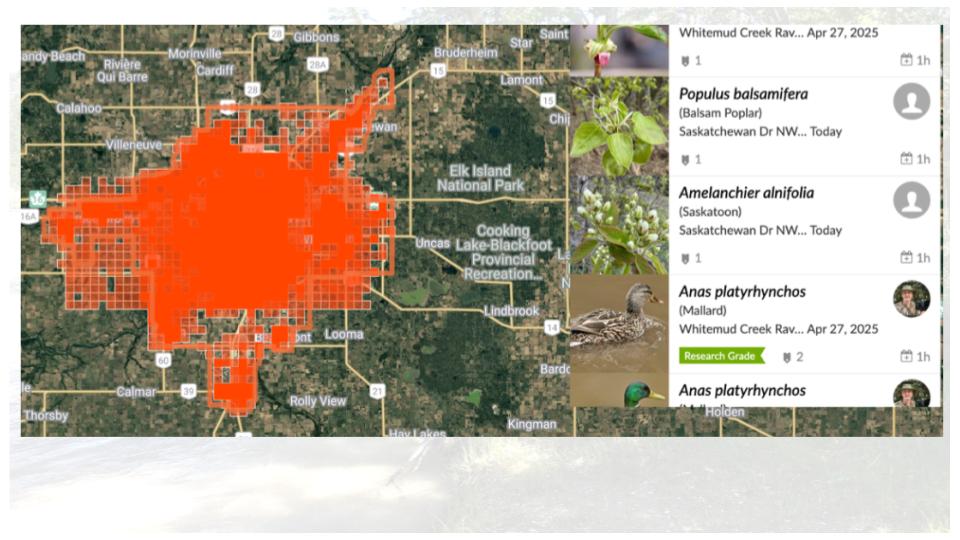
This orange smattering right in the center are the various observations for the city. And you can see that. There are about 135,000 observations going back to about 2,008 when iNaturalist was set up.

The application is absolutely free, and its citizen science based. With an account, you submit observations or communicate with others from around the world.

If someone is visiting Edmonton and is interested in tiger beetles, they will note there are 98 observations, 7 species, and 25 identifiers.

This is the iNaturalist model. At the center is the observation which is the app’s focal point. It is what you saw and where it was.

If three other people agree with you then it is considered a verified observation.
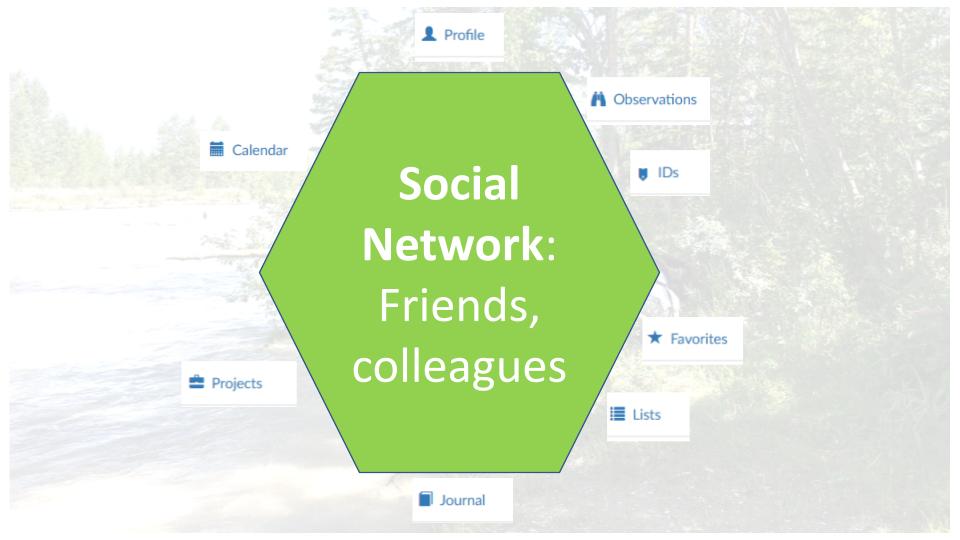
Some people use iNaturalist as social media and as a repository for their personal observations. It is where they can accumulate, identify, and collect their observations. When they go back to an area, they can remember what they saw and with whom.
David has traveled in many different places other than Alberta and uses the iNaturalist community to contact someone that has seen a specific plant that David is interested in.

Observations can be grouped in a number of different ways including geographically. This is called a boundary and the example is for Lois Hole. Boundaries and observations can also be collected into iNaturalist-Projects. No matter how it is organized, all of the little dots on the map in different colors represent either an animal or a plant.

This one little fuchsia little marker is a coral fungus observation made by someone in June of 2023. This observation is also research grade meaning at least 3 people have confirmed the observation.
Why is SAPAA Using iNaturalist?
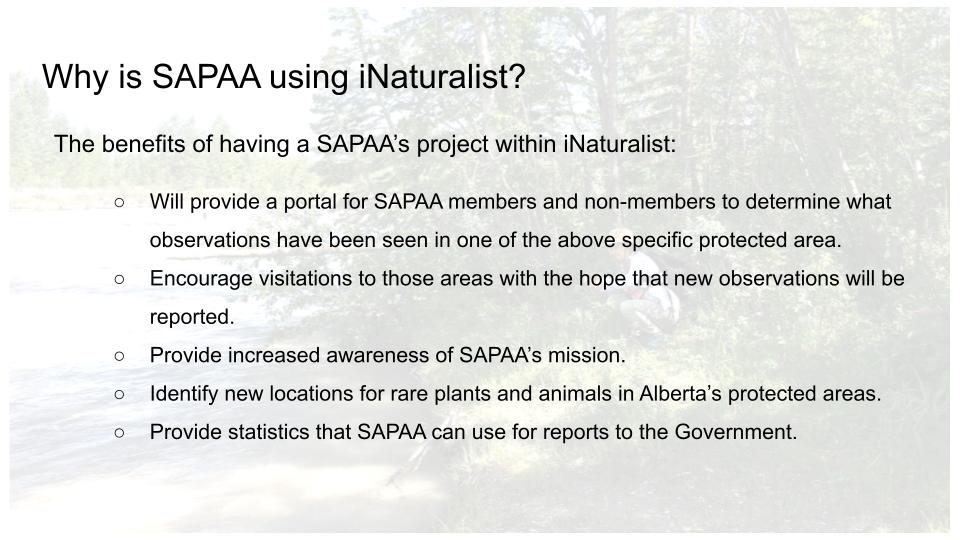
Leaving the general functions of iNaturalist, let’s talk about SAPAA’s primary project which is also an umbrella project.
And under this project we can have a different sub projects. What’s really nice about iNaturalist is that you can incorporate other people’s projects into your own underneath your umbrella project. So, for instance, if someone. Has a project about birds in the national parks, then you can link that project under yours.
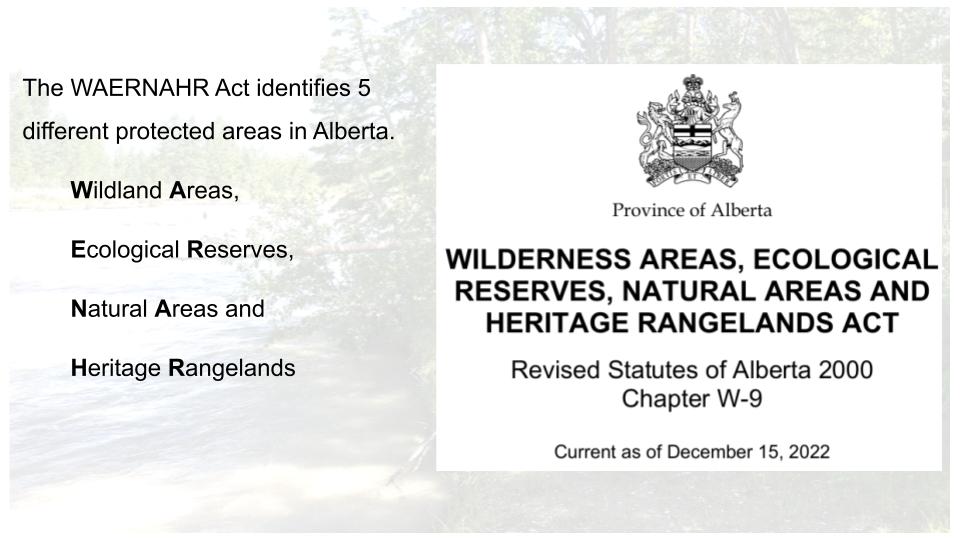
SAPAA will create boundaries, as required, for each of the 248 WAERNAHR sites. There may be projects rolling up closely located sites. Ultimately everything rules up to our umbrella project. We can then add additional projects as required.

The benefit of using iNaturalist is that there’s so much good information and data out there. And it allows us to understand what sort of observations have been made in different areas. We also hope to encourage people to visit these protected areas see what’s what is there and report back via iNaturalist and a Site Inspection Report.
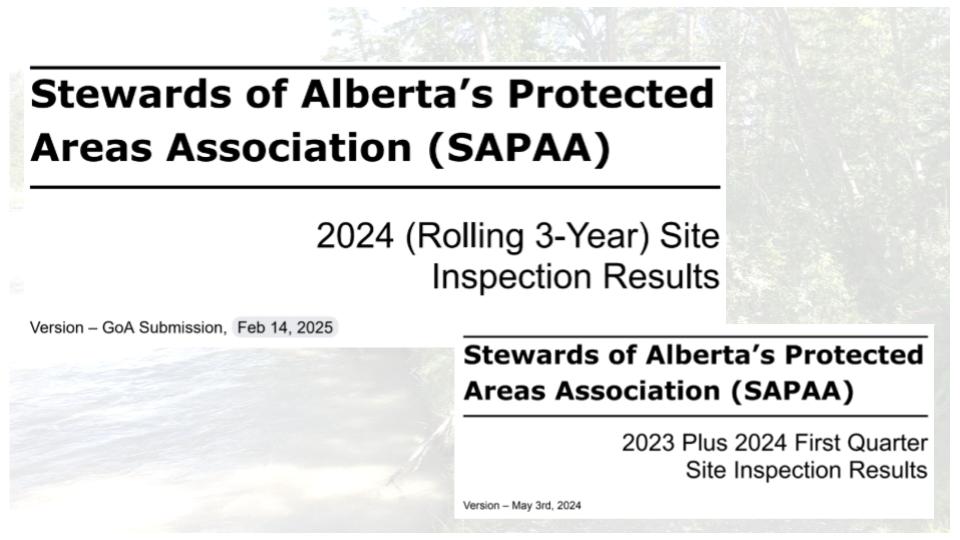
The iNaturalist information as well as the site inspection reports are rolled into our annual report to the responsible Minister. The iNaturalist information will help to fill a gap we have relating to the biophysical inventory. (Editors note: 2025 Report and 2024 Report).

How will this information be used and how much control does SAPAA have over the project are two concerns raised. SAPAA has accepted to terms of use policies of iNaturalist which can be summarized as be kind and respectful. Otherwise, we have complete control over the project.
Once again, this is the SAPAA umbrella project. It is made up of Boundaries but also projects all rolled up into this dashboard. When this screen capture was taken, we had almost 17,000 observations. The dashboard gives you the ability to filter and analyze the data. For example, all invasive plants observed in the WAERNAHR sites.

Scrolling down the dashboard, there are other features. For example, the map on the left is from the umbrella project and the one on the left are for a particular type of Natural Areas with an Order in Council level of protection.
SAPAA hoping to have its project built by mid 2025 and offer training shortly thereafter. Stay tuned for updates!
Questions and Comments on iNaturalist
- Why did you choose iNaturalist versus other systems, such as eBird.
- What kind of observations does SAPAA want? The rarest, the most common, invasive species, or just lots of observations?
- SAPAA is interested in virtually anything found in a Natural Area.
- The common spruce tree, invasive thistles, or a rare lichen.
- The phone application uses AI to help identify the observation which helps the user learn species.
- Ultimately, these observations allow us to monitor area changes over time.
- How does iNaturalist protected rare, endangered, or commercially valuable observations?
- If a species meets a vulnerable criterion, then iNaturalist automatically obscures some information about it.
- For example, its location is randomly assigned to a spot within 0.1 x 0.1 degrees longitude and latitude (about 22 x 22 KM in Alberta).
- Does iNaturalist connect to other social media such as Facebook or Instagram?
- iNaturalist does not currently connect directly to social media platforms like Facebook or Instagram (editors note: this was a Co-Pilot AI Summary on the question “does iNaturalist connect to social media platforms”).
- Users can share observations through links, but there is no built-in feature for sharing directly on these platforms.
- SAPAA saw this in the other part of this project, creating webpage references to each iNaturalist boundary. We thought we could display the iNaturalist map but that is not allowed (editors note: as an example of this link see the link from the SAPAA web page to iNaturalist for Wagner NA).
- I suspect this is both a function of resources, the system is open source, and wariness of giving away too much to people whose actions they can’t subsequently control.
- What are the technical risks of this technology? If it loses its funding, could it go away?
- The organization is a US registered nonprofit and relies on donations.
- Its most recent 2023 financial statements showed a healthy cash position, and it has many strong donors.
- Worst case scenario, all of the data can be extracted from the system and potentially moved elsewhere.
- Things can change but for the moment its future looks certain.
- How difficult is it to maintain and run as an administrator?
- It took David less than 30-minutes to set up the initial Project.
- Creating a bioblitz is fairly quick and iNaturalist walks you through the steps.
- One of the ways of reducing the effort is that all project pages look pretty much the same. This reduces their costs but also reduces the technical know-how needed.
- Creating new boundaries has taken time as iNaturalist places a 3 new boundaries per person limit on their creation.
- A comment from a participant on their experiences with iNaturalist:
- Claudia: I use it to identify a species and then see if the fact checkers agree with what I suggested; it gives you another reason to go outdoors.
Thank You

 SAPAA
SAPAA 
Pingback: Organizational Steward – October 2 CoP Session | SAPAA
Pingback: Oct 2 – Taking Nature for Granted | SAPAA
Pingback: Death Marches, Rope Burn, Video Editing, and Other Fun | Organizational Biology
Pingback: Alberta Rural MLAs and SAPAA – 2026-03-20 | SAPAA